Which Tourbox Model Should You Buy In 2026?
Which Tourbox Model Should You Buy In 2026?



I reviewed the original TourBox controller back in August 2020 for PetaPixel. The device, with its Frankenstein mash-up of buttons, dials and wheels promised to “change the way you edit” and save time. Surprisingly, it delivered on that claim.
After customizing it to my workflow, the TourBox earned a spot on my desk for a while. The companion software, TourBox Console, while robust, was still new and was missing certain functionality. There was certainly room for development.
A year later, Tourbox sent me their new Elite model. It looked nearly identical, but was now wireless and added haptic feedback. More importantly, new updates for the Tourbox Console added features that significantly improved the usability. This renewed my interest and desire to use controller again. And it earned a permanent spot on my desk for the last few years. Only recently replaced with the new TourBox Elite Plus.

The $95 TourBox Lite Rounds Out The Family
In 2024, TourBox released their lowest priced model, the TourBox Lite. The USB-C cable returned, the haptic feedback was removed, and gone were the 4 button D-pad, the dial wheel, and the side button. At first, they seemed like huge step backwards just to reduce the price tag to $95.
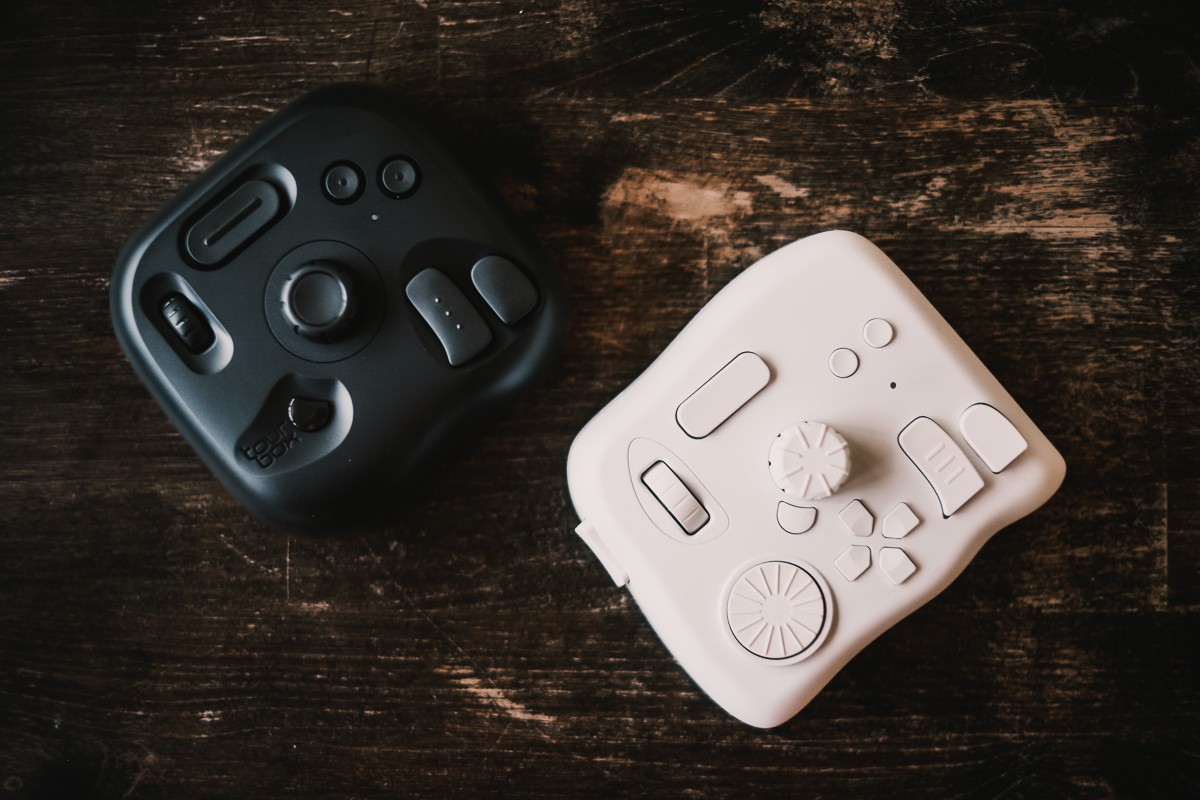
To do a full review, I swapped out my Elite with the Lite for 2 weeks, and customized the device from scratch, application by application, as if I were a new user. Despite having fewer buttons, I found that the TourBox Lite could do everything I really needed.
Did that mean that the older layout on the Elite was not necessary? The answer is complicated in a good way.
The TourBox Console Keeps Getting Updated
The heart of the TourBox system is the Console software that allows you to customize all the buttons and dials.
What I appreciate about TourBox as a company is that they practice the Kaizen philosophy of bringing new features to their existing device, instead of locking out early adopters and forcing them to update.
Ultimately, they are giving users different hardware options based on their needs at different price points that’s accessible for everyone.
What I found each time I update the console and learning the new features is that the company has figured out solutions to both minor and major problems I had before.
Using The TourMenu To Organize Commands
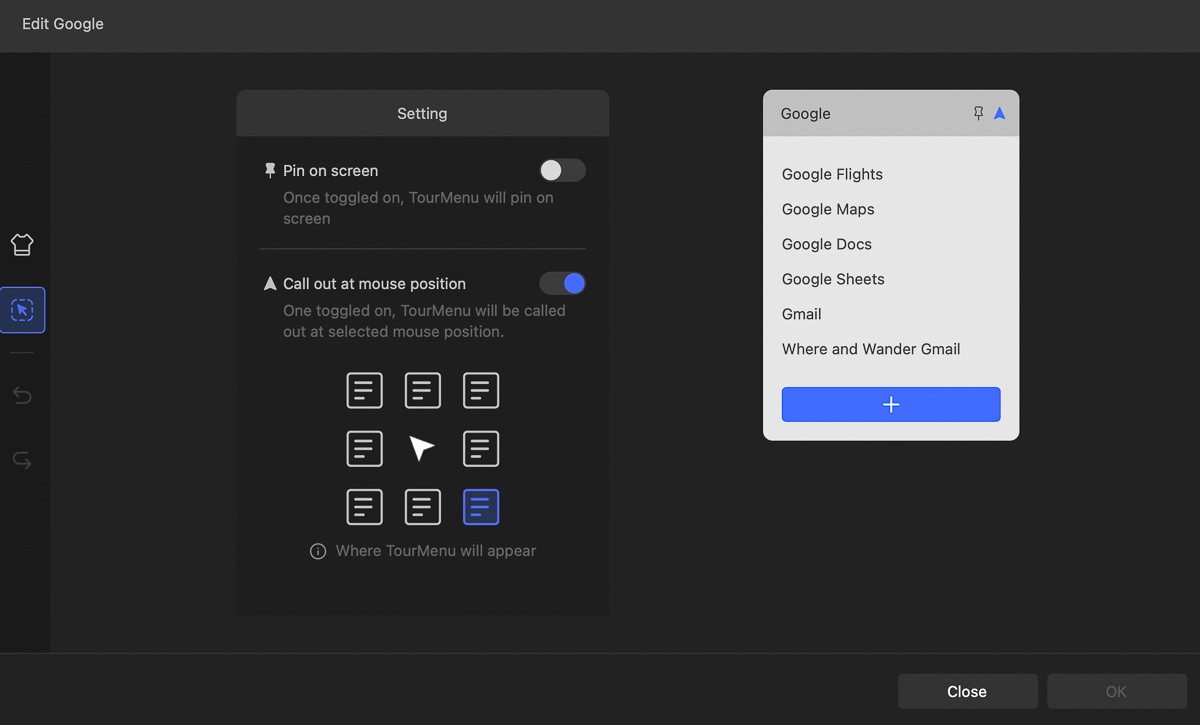
For example, TourBox Console 5.6, added the TourMenu option that allowed me to quickly configure a set shortcuts, links, or commands to open up with one click.
Rather than mapping individual actions to buttons, I can have a drop-down menu of commands. In Lightroom, for example, I can group a set of tools or presets into individual menus. In Safari, I can open up a link to some of the different Google apps I use.
They will open it wherever my mouse position is on the screen. In practice, I now just need to remember that the left arrow opens up my Google set, instead of having to assign each app to a button and having to remember which button opens up what.
Dynamic Panel and Workspace Recognition
TourBox Console 5.10 added Workspace Recognition in Adobe Lightroom Classic, which allows you to have sub-presets for the separate Library and Develop module. This was a game-changer because I previously had to create two separate presets for Lightroom (one for culling, one for editing) and manually switch between the two. Now, it was integrated seamlessly and auto-switched.
The new Dynamic Panels allows you to customize your own panel of adjustment tools so you can unlink from the more cluttered native adjustment panels. You can read more in-depth about it in my review of the new Elite Plus and Console 5.12.
The New Flagship TourBox Elite Plus Is Here
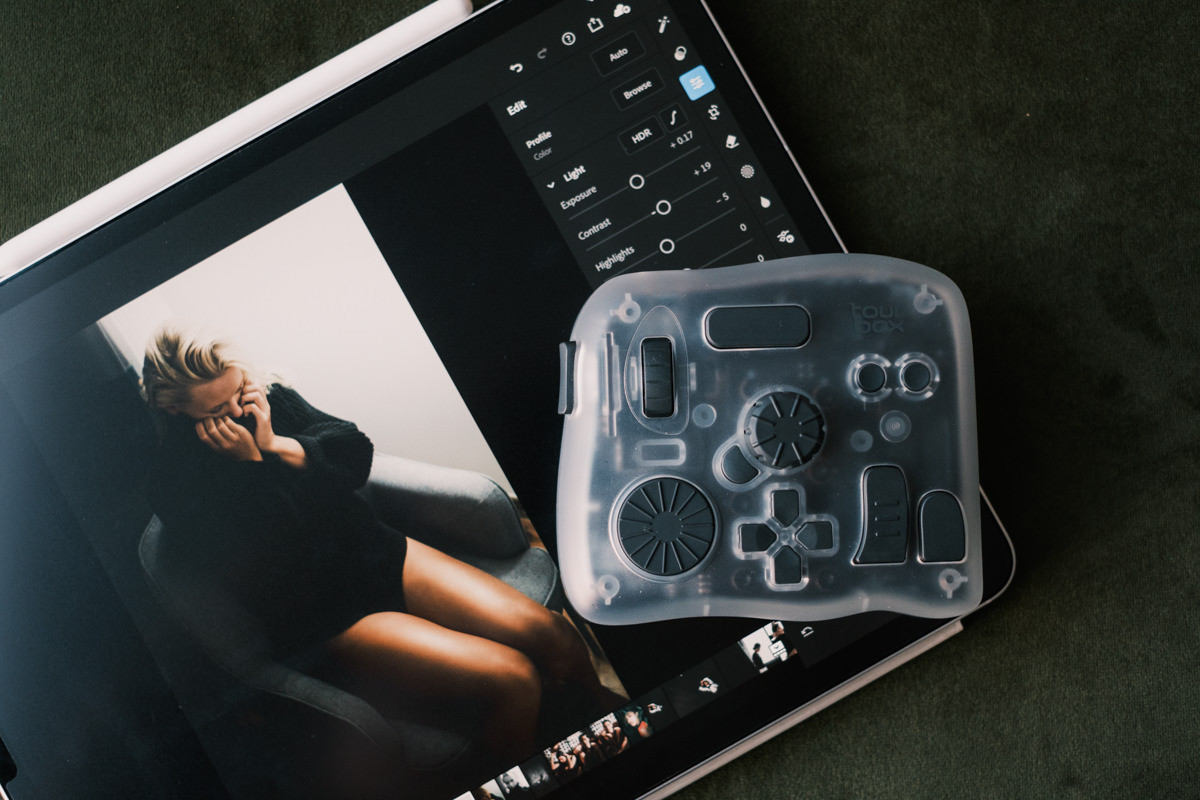
In the fall of 2025, TourBox finally supported using it with an iPad or tablet. This came in the form of the TourBox Elite Plus, that has a nearly identical design to the Elite, except that it has a translucent ice look. Inside, the hardware now supports connecting to tablets and you can seamlessly switch connections between two devices with dual Bluetooth channel switching.
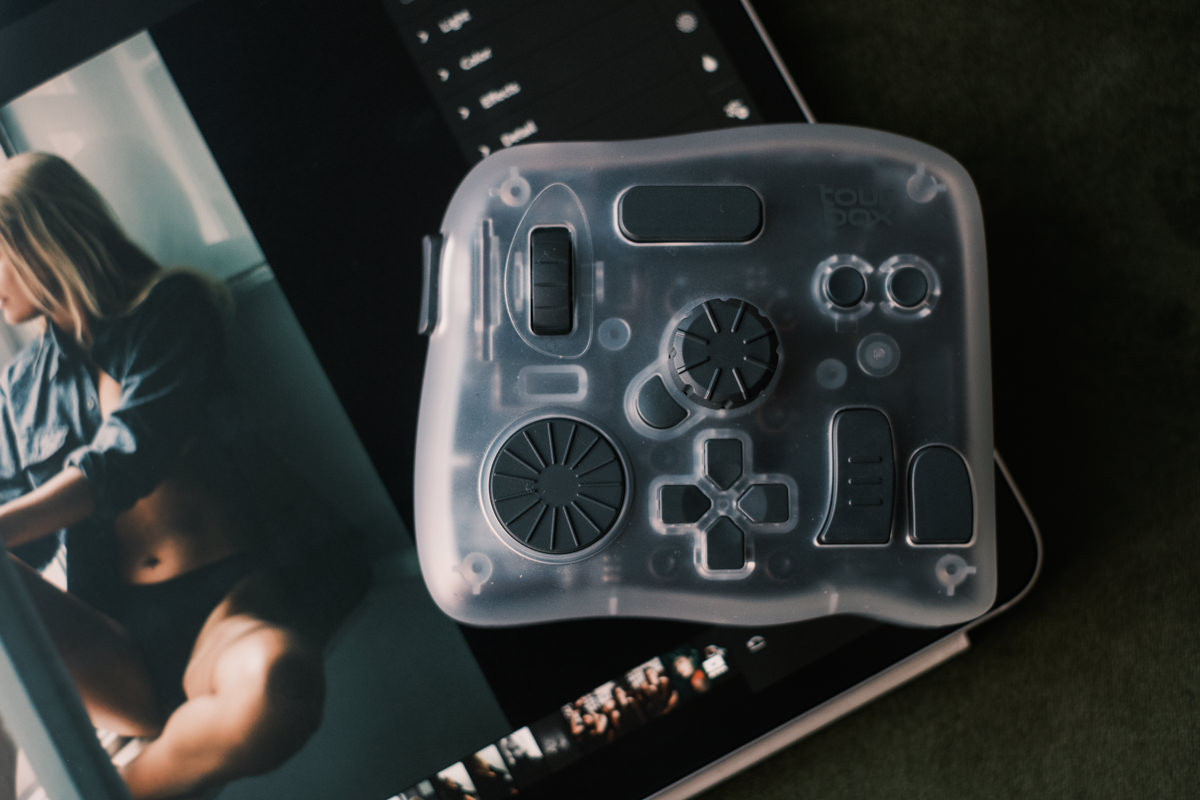
For digital artists that regularly rely on tablets for drawing and graphics design, the TourBox ecosystem was now an option. Having access to tactile buttons and dials, to bring up tools, shortcuts, and even do basic gestures like zooming in, rotate a canvas, or switching between layers is such an indispensable addition to a tablet workflow. When you consider that my iPad Pencil merely allows me to double-tap to change between a brush and an eraser, the TourBox for a tablet is a game-changer.
Which Is The Right TourBox For You?
I’ve used every TourBox to date, so I can tell you exactly which one to buy.
The full lineup now includes the Neo, Elite, Elite Plus and Lite/Lite BT. So which one should you buy if you want to start using the TourBox?
TourBox Original/Neo
Released in 2020. A slightly updated version of the original Tourbox. Available for $169. Sort of a no-man’s land offering at this point since I think the Lite is a better value if you’re contemplating something with a wire.
Pros: Has all the buttons, wheels and dials. Sits right in the middle of the lineup.
Cons: Wired. Lacks haptic feedback.

TourBox Elite
Released in 2022. Premium console offering the best TourBox user experience. Available for $241 on Amazon or $228 on the official site. Probably the one I’d recommend if you don’t plan on using the TourBox with a tablet.
Pros: Bluetooth 5.0 so it’s wireless. Haptic feedback. Premium coating.
Cons: Not much. Requires 2 AA batteries for wireless use. No iPad or tablet compatibility.
TourBox Lite
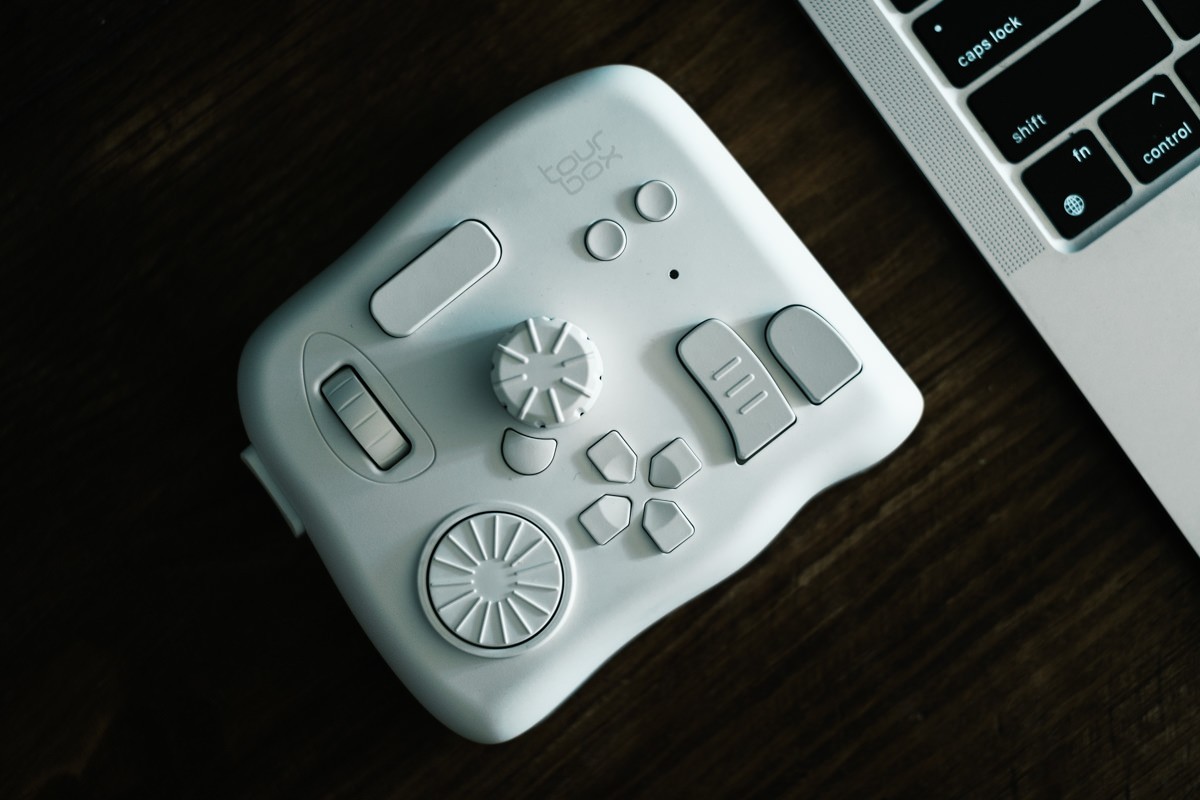
Released in 2024. A simplified console with fewer buttons and wheels. Available for $95. There’s a new wireless bluetooth version for $99 and it comes in a few pastel colors as well. No-brainer to go with the wireless version for $4 more.
Pros: Great price. Simplified layouts. New premium coating for fewer finger prints. Lightest and smallest console.
Cons: Wired. Fewer buttons and wheels.
TourBox Elite Plus
This is the flagship TourBox Elite with the long-awaited compatibility for iPad and other tablets. This is a game changer for artists and editors who are using to a Wacom or iPad workflow.
Available for $282 on Amazon or with a $267 on the official site.
Pros: This is the best TourBox you can get. If you’re using software like Procreate, Photoshop, Final Cut Pro or Premiere on an iPad or tablet, this is almost a must-have accessory. For about $40 more than the normal Elite, you’re future-proofing and keeping all your options open.
Cons: The most expensive TourBox, but worth the money.
You can use code KIEN10 to get free shipping and $10 off any TourBox device.
RECOMMENDATION: At $99, the TourBox Lite BT is an economical way to see if the Tourbox system is for you. Despite having fewer buttons and wheels, the current software still allows you to create a high number of combinations to meet your shortcut needs. The only drawback was that the original Lite was wired, but the Bluetooth version solves that problem.
If you are a professional and want the most flexibility, the TourBox Elite or the TourBox Elite Plus will allow you to get everything out of the TourBox ecosystem. For me, having a wireless console with the D-Pad and side button is well worth the price difference.
Updated on April 20, 2026